


Github Models(AI接口),申请使用教程 作者:小傅哥
博客: https://bugstack.cn (opens new window) 沉淀、分享、成长,让自己和他人都能有所收获!😄 大家好,我是技术UP主小傅哥。 现在做 AI 应用开发的小伙伴越来越多了,随之而来的是对 LLM 大模型接口的使用依赖。一般的模型,可能会让程序出现幻觉。而高质量的模型,大部分是需要付费,比如 openai/gpt-5 、 azureml-xai/grok3 、 azureml/Phi-4 等。 那怎么办!?🤔
这些免费的不错的大模型(LLM),也都是有对应的频次和最大出入/输出token的限制。虽然不会让咱们玩命的调用测试。但在程序开发初期,对于单个功能的验证还是非常方便的。接下来,小傅哥就给大家演示下,关于 Github 免费提供的大模型如何配置使用。 # 一、模型说明 # 1. 官网地址 官网: https://github.com/marketplace?type=models (opens new window)
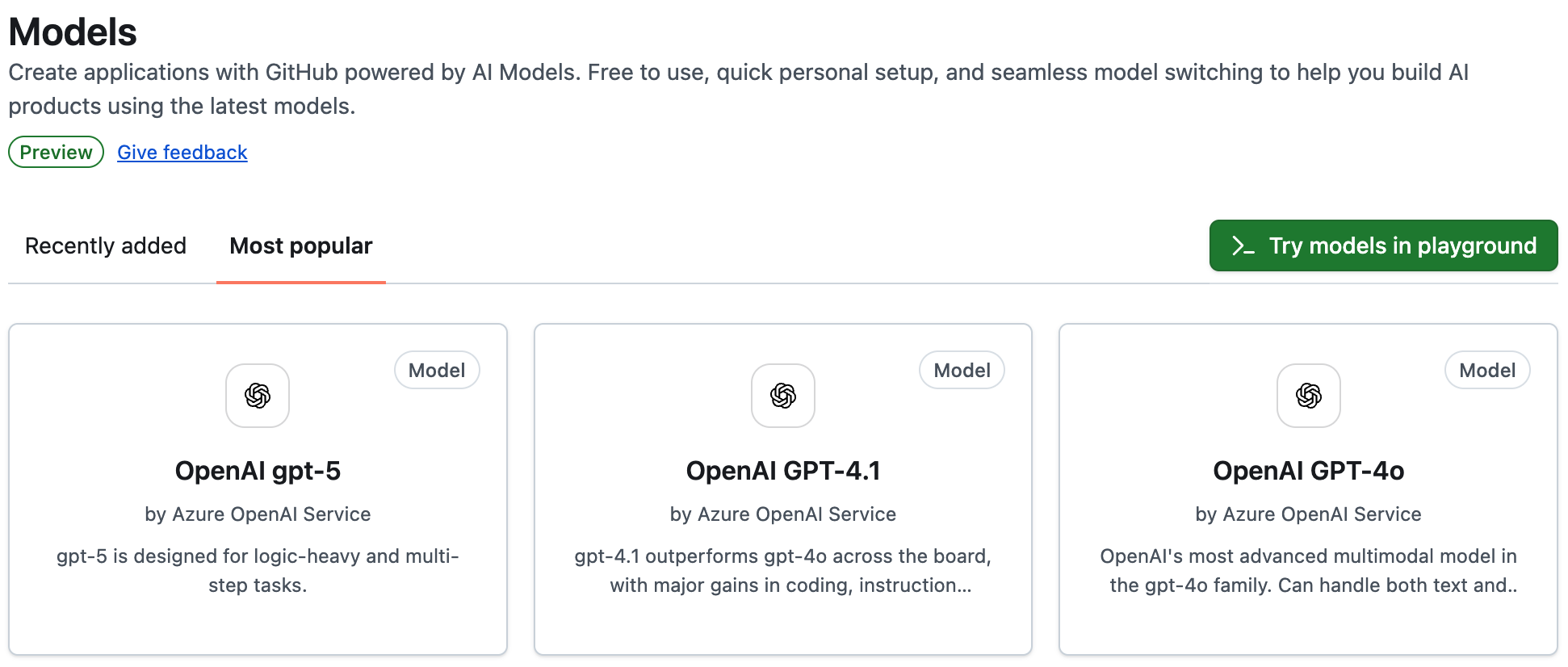
在 Github marketplace 下提供了非常多的免费的 LLM 使用,gpt-5、gpt-4.1 都是有的,具备完整的测试功能。有时候还会新增加其他模型。 # 2. 频次限制 地址: https://docs.github.com/en/github-models/use-github-models/prototyping-with-ai-models#rate-limits (opens new window)
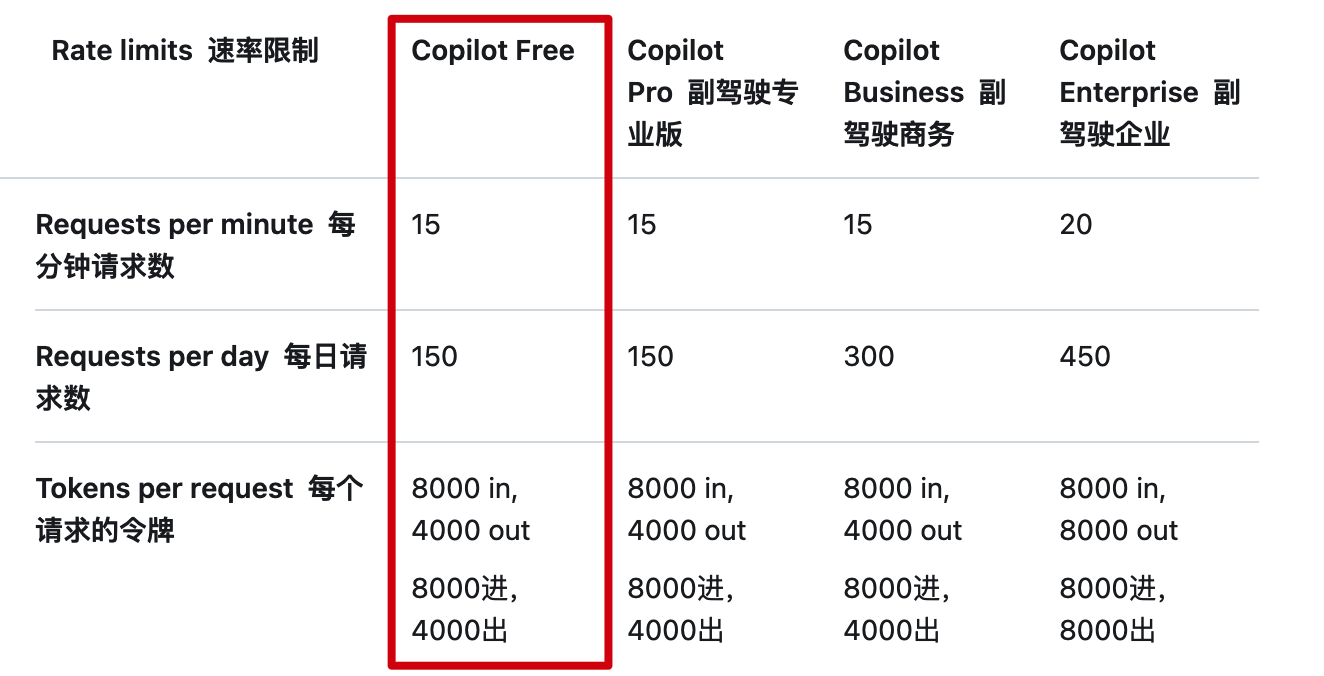
每日150次、每分钟15次,每次token,8000进、4000出。对于单个模型的验证是没问题的,不过对于复杂的 ai agent 智能体是跑不动的。所以,这块测试的话,要分开验证。之后对于全流程的,在购买 api 进行测试即可。 如果小伙伴还觉得,每分钟15次,有点不够干的,那你可以弄10个账号,通过 nginx 负载下,这样基本每分钟150次,一天1500次还是很够用的。 # 二、模型使用 # 1. 测试工程
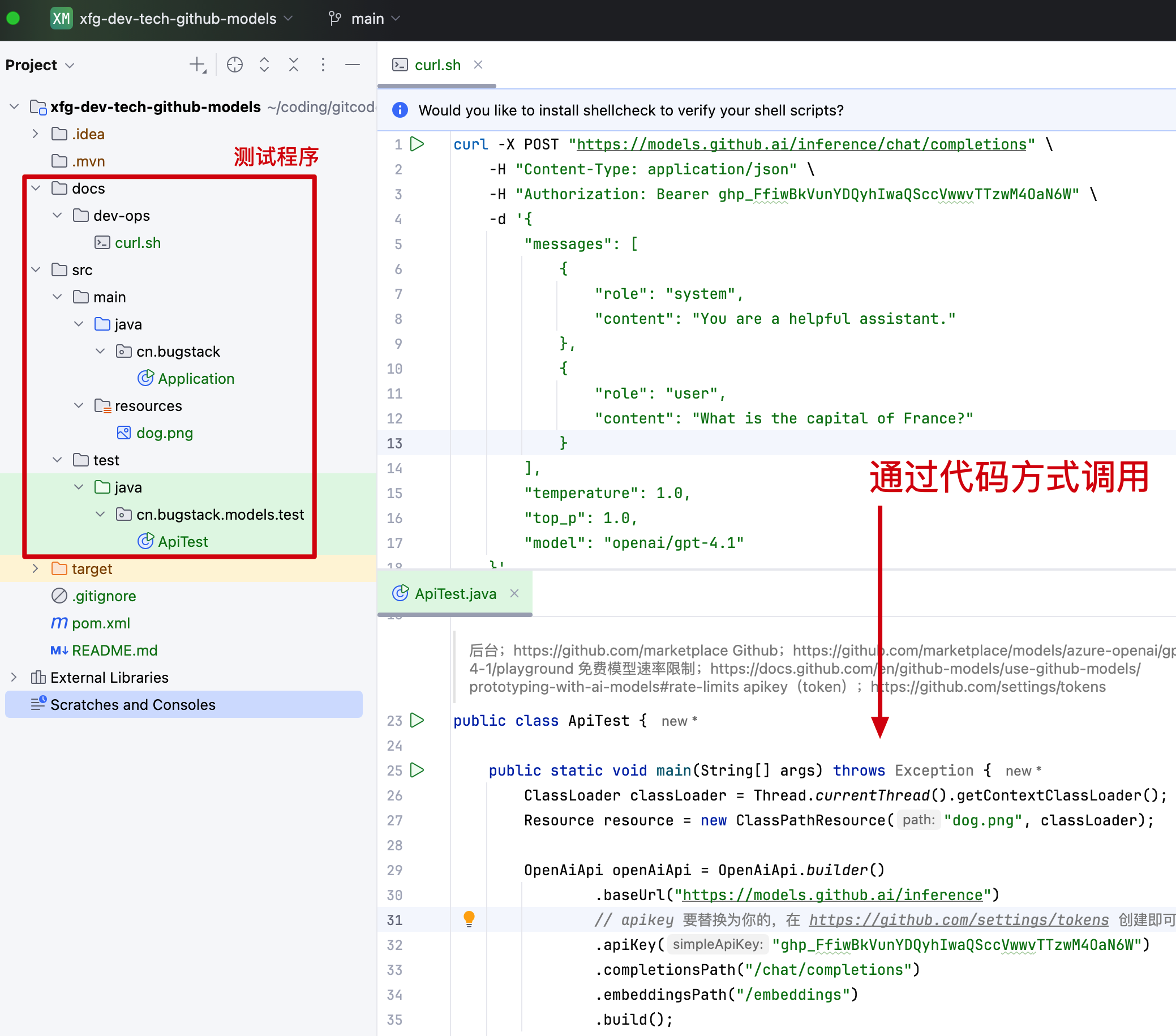
地址: https://github.com/fuzhengwei/xfg-dev-tech-github-models (opens new window) 说明:这里小傅哥准备了一套基于 Spring AI 的测试工程,来验证 Github LLM 的使用。你可以下载后,替换 token/apikey 即可调用验证。 环境:jdk 17、maven 3.8.x、spring ai 1.1.0 # 2. 对接申请 # 2.1 申请token 地址:https://github.com/settings/tokens/new
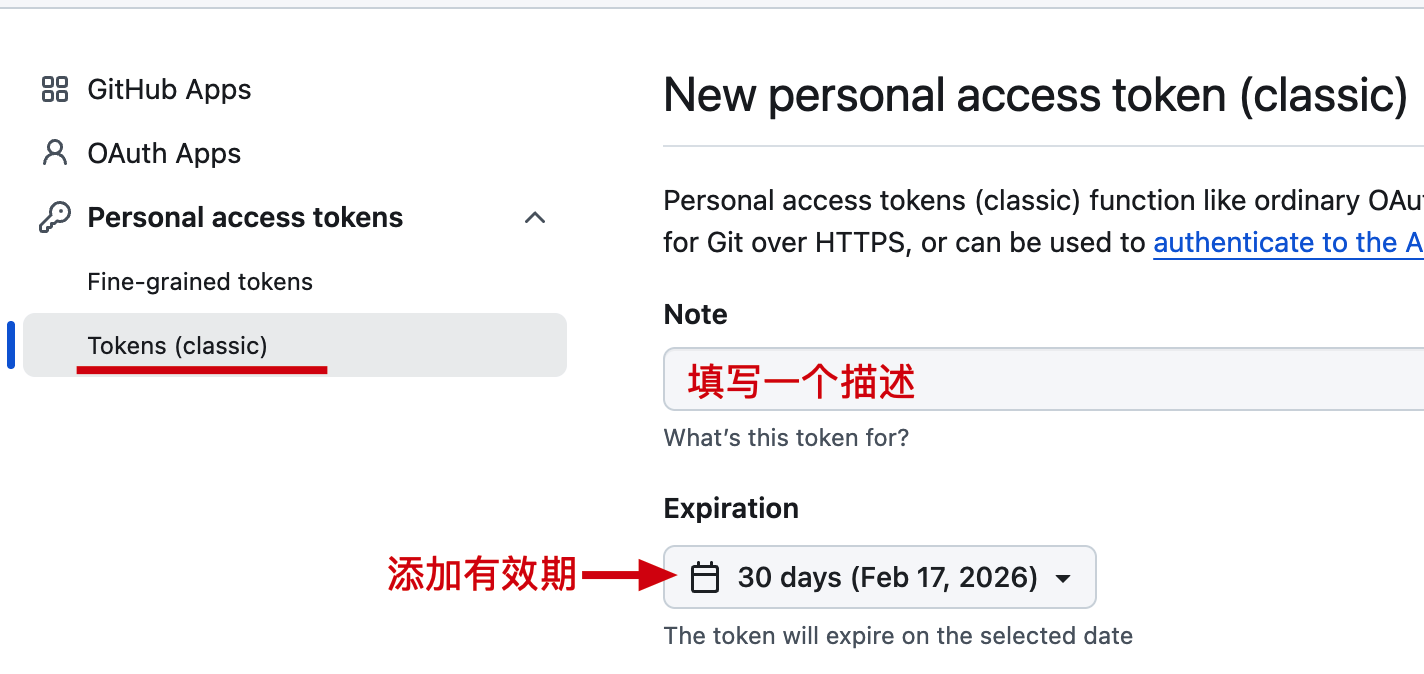
在 Tokens 下,添加 Note 描述和过期时间,完事后不用加任何其他权限,拉到最后设置点击 Generate token 生成令牌即可。 生成后复制你的 Token,复制后关闭就看不见了。只有删除和创建新的。 # 2.2 查看curl(api) 地址: https://github.com/marketplace/models/azure-openai/gpt-4-1/playground (opens new window)
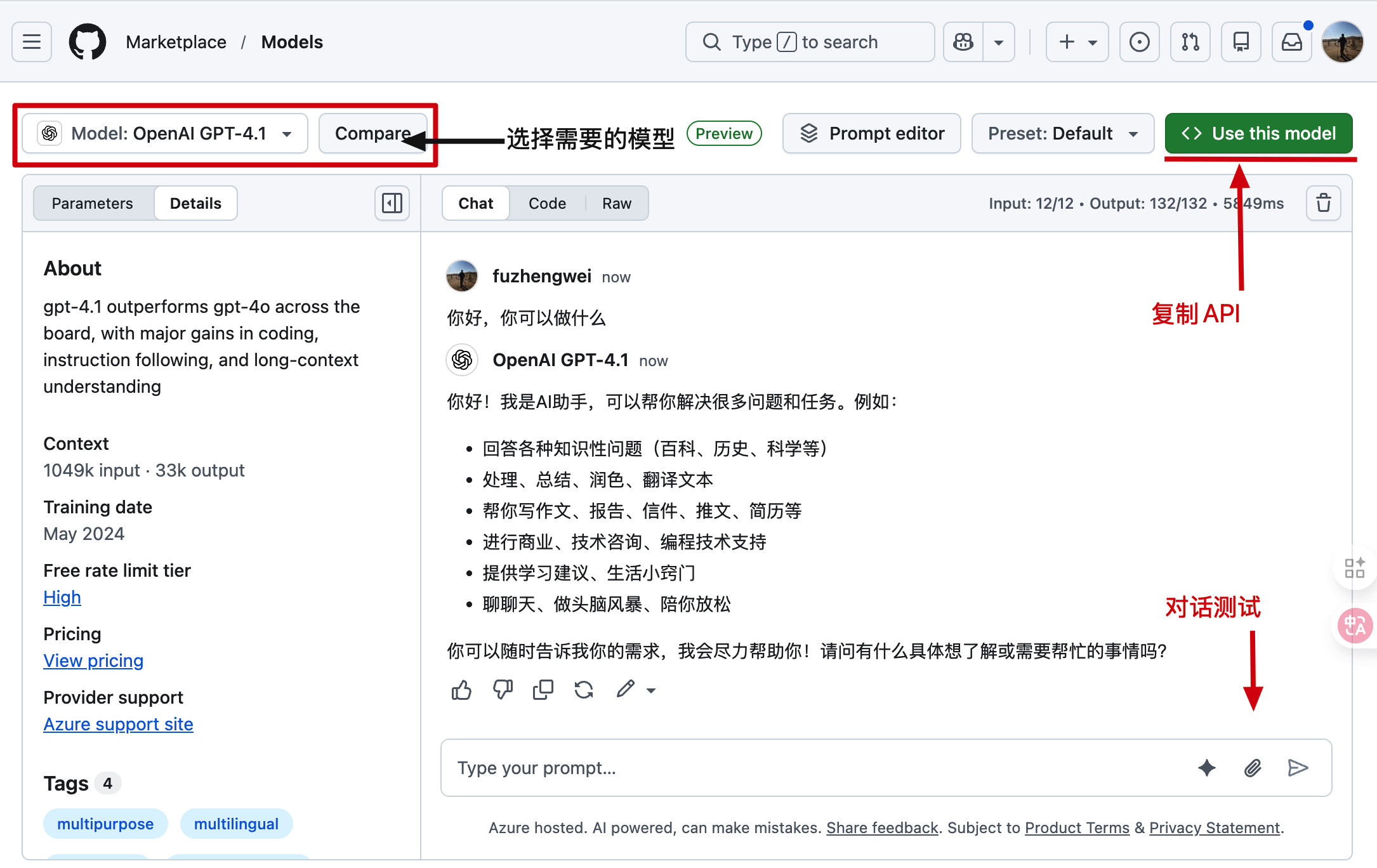
在左侧你可以选择需要使用的模型,之后进行对话验证。之后,在右侧有一个 Use this model 这里可以获得模型 API 请求信息。
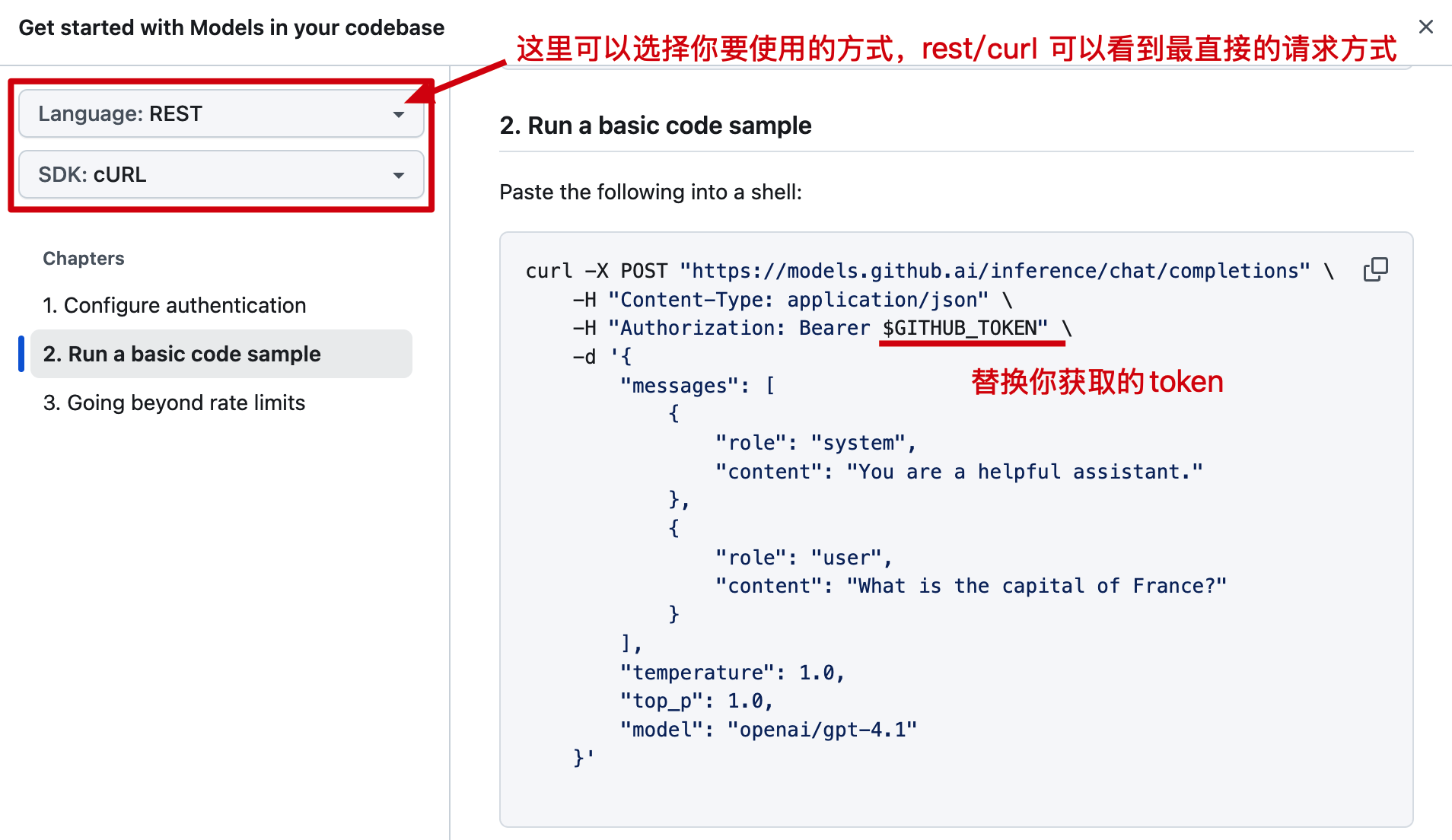
你现在单独验证 api,在整个程序测试前,要确保你的 api 是可用的。 # 3. 测试验证
public class ApiTest {

 public static void main(String[] args) throws Exception {
 ClassLoader classLoader = Thread.currentThread().getContextClassLoader();
 Resource resource = new ClassPathResource("dog.png", classLoader);

 OpenAiApi openAiApi = OpenAiApi.builder()
 .baseUrl("https://models.github.ai/inference")
 // apikey 要替换为你的,在 https://github.com/settings/tokens 创建即可。
 .apiKey("ghp_FfiwBkVunYDQyhIwaQSccVw******")
 .completionsPath("/chat/completions")
 .embeddingsPath("/embeddings")
 .build();

 ChatModel chatModel = OpenAiChatModel.builder()
 .openAiApi(openAiApi)
 .defaultOptions(OpenAiChatOptions.builder()
 .model("openai/gpt-4.1")
 .build())
 .build();

 // 模型测试,没问题可以识别图片
 ChatResponse response = chatModel.call(new Prompt(
 UserMessage.builder()
 .text("请描述这张图片的主要内容,并说明图中物品的可能用途。")
 .media(Media.builder()
 .mimeType(MimeType.valueOf(MimeTypeUtils.IMAGE_PNG_VALUE))
 .data(resource)
 .build())
 .build()));

 System.out.println("测试结果" + JSON.toJSONString(response));

 }

}
1 2 3 4 5 6 7 8 9 10 11 12 13 14 15 16 17 18 19 20 21 22 23 24 25 26 27 28 29 30 31 32 33 34 35 36